paid traffic
How to be found on Google
A step-by-step guide to help your business stand out and be discovered online

Bruna Malta
Published on November 07, 2025
5 min de leitura
Loading sharing options...
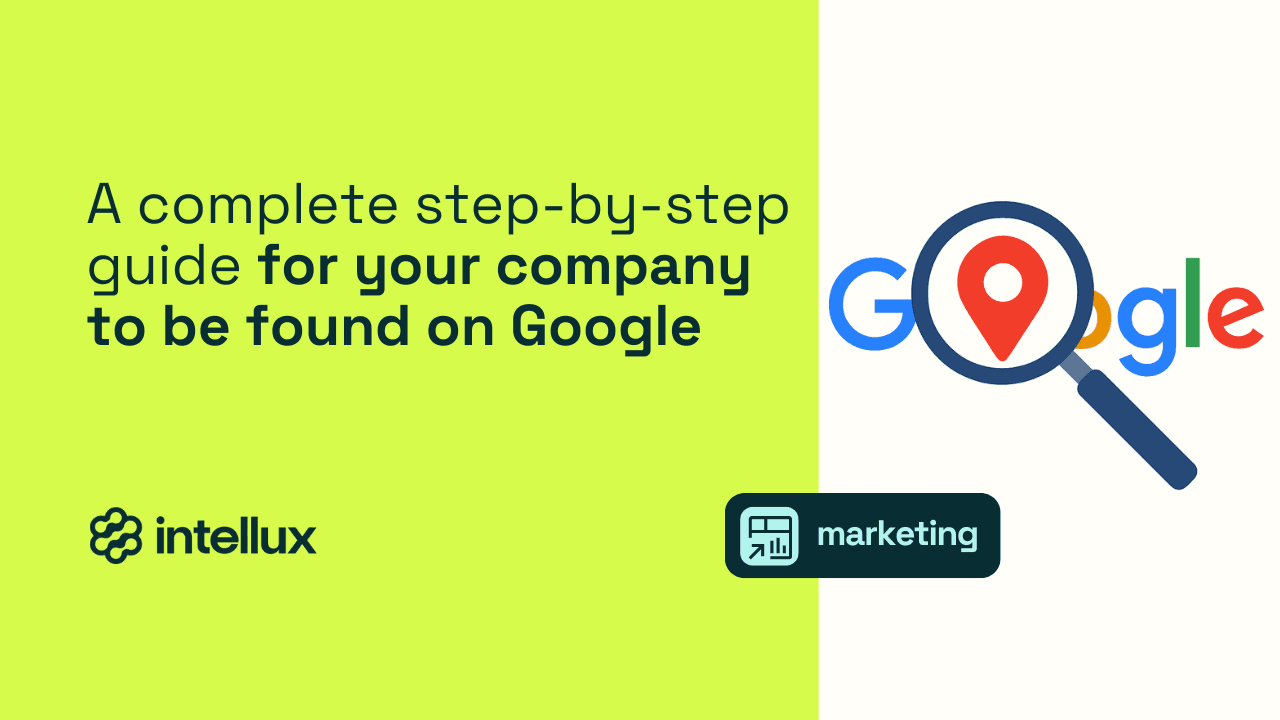
Google is by far the most widely used search engine in the world, responsible for the vast majority of searches performed online, both on desktop and mobile. Every day, millions of people use it to look for solutions to their problems, specific products they want, or services they need.
When someone uses Google, they’re already showing a clear intention to buy or learn. That’s very different from social media, where most users consume content passively, just to pass the time.
In other words, when your company appears in Google’s search results, you’re placing yourself right at the customer’s decision point. If you’re not there, your competitor will be. Showing up on Google isn’t optional anymore, it’s a must.
Being well-positioned means being found at the right time by the right person. It’s about turning visibility into credibility, searches into customers, and clicks into growth and revenue.
Still, for many business owners, this “huge website” can seem like a mountain that’s hard to climb — especially with how quickly Google keeps evolving. Each update brings new AI-powered features that change the way people search. Now, ranking means more than just appearing on the first page, it also involves showing up in AI-generated answers, which can dramatically reduce the number of clicks to websites.
But don’t worry, it’s not as hard as it sounds. Let’s start from the beginning, and you’ll see how everything fits together. After all, Intellux’s mission is to simplify marketing for you.
That’s why we’ve created a complete, practical, and up-to-date step-by-step guide to help you build your company’s digital presence and get noticed by the world’s largest search engine — so your business can be found by the right customers, at the exact moment they’re ready to take action.
Let’s start with the essentials:
What actually shows up when you search on Google?
When someone performs a search on Google, there are many different types of results — each representing an opportunity for your business to appear.
Here are the main types of Google search results today:
- Google Ads - The fastest way to get your business to the top of Google. You choose the keywords your audience searches for, set your budget, and your ad appears in search results, on partner sites, videos, or local recommendations — providing instant visibility.
- Organic Results - These are the pages from your website that appear naturally when your content is relevant to what the user is looking for. Here, patience is key — results take time and depend on a solid website optimization strategy.
- Featured Snippets - A highlighted result pulled directly from your website content. It appears above the regular organic links, usually in a separate box, when your content provides a clear and direct answer to the user’s question.
- AI Mode - A new Google search tab powered by artificial intelligence. It allows users to ask more complex, multi-step questions — combining text, images, or voice. The results are more complete, contextual, and insightful, offering richer answers than traditional search.
- AI Overviews - Automatically generated summaries created by AI Mode. These appear at the top of some search results and include an overview of the answer plus links to the sources used.
- People Also Ask - Boxes that display related questions based on the user’s search. If your content answers these questions, it can appear directly in this section — increasing visibility and traffic.
- Knowledge Panel - Displays fixed information about businesses, people, or entities, such as name, logo, description, and website. It usually appears when a brand or person has online recognition or when the search is very specific (e.g., “brand name + what they do”).
- Google Business Profile / Map Results - Shows local businesses near the user, including name, address, reviews, hours, and directions. Perfect for physical stores, clinics, or service providers — it depends on proximity and local relevance.
- Google Shopping / Product Listings - Ideal for online stores. Your products can appear with an image, price, and a direct purchase link. With the new Merchant Center Next, product catalogs are now even more optimized and easier to manage.
- Images / Videos / Visual Search (Lens / Multisearch) - Your content can appear when someone searches by image (e.g., with Google Lens) or combines image + text (“multisearch”). Well-optimized photos showing your products, spaces, or use cases greatly increase your chances of appearing.
- News / Google News / Web Stories / AMP - News sites or those using Web Stories or AMP can appear in specific Google News areas, increasing visibility for journalistic or informative content. Now that you know the main ways your business can appear on Google, it’s time to put everything into action.
In the next part, we’ll walk you through the three essential steps to stand out in search results — starting with setting up your Google Business Profile and Google Maps, then optimizing your website for organic results, and finally, running paid ads to reach customers faster and more effectively.
Step 1: Set up your business on Google Business Profile and Google Maps
Before thinking about SEO, keywords, ads, or AI, the first step to appear on Google is to make sure your business actually exists within the platform.
You know that box that appears when you search for a store, clinic, or restaurant showing its address, hours, phone number, photos, and reviews? That space is your Google Business Profile (previously known as Google My Business).
It’s the starting point for any business that wants to be found online, especially by nearby customers. Your Business Profile makes your company show up in local search results and on Google Maps, boosting credibility and making contact easier — with one-click actions like “Call,” “Message,” or “Directions.”
It also displays reviews and social proof that directly influence buying decisions.
This profile is one of the main local ranking factors and can put your business ahead of larger competitors. Best of all, it’s free, anyone with a Google account can create it.
How to create your Google Business Profile
- Go to the official page: Visit google.com/business and click “Manage now.” Sign in with your Google account (or create one if you don’t have it).
- Search for your business name: If it already appears, simply claim the existing profile. If not, click “Add your business to Google” to start from scratch.
- Choose your name and main category: Use your real business name (as it appears on your storefront or social media). Then, select a main category that clearly describes what you do (e.g., Italian restaurant, dental clinic, accounting firm, women’s clothing store). This helps Google display your business in relevant searches.
- Add your address and service area: If you serve customers at a physical location, include your full address. If your business delivers, offers home services, or operates online, check “I deliver goods and services to my customers” and specify the regions you cover.
- Add your phone number, website, and business hours: These details appear directly on Google Search and Maps, so keep them updated. If you don’t have a website yet, you can create a basic one for free through Google.
- Add photos and a business description: Upload photos that represent your brand well — storefront, products, team, and space. Write a short, clear description explaining what you do and why customers should choose you. Use search-friendly phrases like “beauty salon in Brooklyn” or “corporate lawyer in Austin.”
- Verify your business ownership: Google will ask you to verify ownership — via mail, phone, email, or video, depending on your business type.
- Encourage and reply to reviews: Once your profile is live, ask real customers to leave reviews and reply to all of them — even the negative ones. Google considers this engagement when deciding which local results to show first.
Features that can boost your business
- Posts and promotions: Share offers, updates, and events directly from your profile to attract customers in real time.
- Chat messages: Let customers contact you instantly — great for quick sales and service.
- Performance insights: See how many people called, requested directions, or visited your website.
- AI-powered suggestions: Google automatically recommends keywords and descriptions to help you reach the right audience.
Once your profile is active, it’s time to optimize your website to appear organically in search results.
Step 2: Optimize your website for organic results
After setting up your Google Business Profile, the next step is making sure your website can be easily found by both users and Google’s algorithm.
That’s where SEO (Search Engine Optimization) comes in — a set of techniques that make your website easier to understand, more relevant, and more valuable to Google, increasing your chances of appearing among the top results.
1. Keyword Research
Before writing any content, understand how your customers actually search on Google: What words do they use? What questions are they trying to answer? Knowing this helps you create content that matches their intent.
Free tools from Google can help:
- Keyword Planner: shows search volumes and related terms.
- Google Search Console: reveals which queries already drive traffic to your site.
- Google Trends: compares keywords and shows which topics are rising.
2. Understand Search Intent
Not every search means the same thing. Group your keywords by intent:
- Informational: the user wants to learn something.
Example: “What is digital marketing?” - Transactional: the user is ready to buy or hire.
Example: “Buy marketing automation software.” - Local: the user is looking for nearby services.
Example: “Marketing agency in Miami.”
3. Keyword Placement
For each page, pick one main keyword and two to three variations.
Use them naturally in:
- Page title and subtitles
- Meta description
- Body text
- Image alt text
Avoid keyword stuffing — Google values natural, high-quality writing.
On-Page SEO: Titles, structure, and content
On-page SEO involves everything you do within your website to make it clearer and more relevant — both for Google and your readers.
A blog is one of the best tools for this. Publishing useful, keyword-focused content helps attract visitors and build your authority. Each new post creates another opportunity to rank.
Key elements to optimize:
- Title tag: include your main keyword near the beginning.
- Meta description: a short, engaging summary that encourages clicks.
- Headings (H1, H2, H3): break content into sections for better readability.
- Short paragraphs: avoid walls of text.
- Lists and tables: help Google pull snippets for featured boxes.
- Optimized images: use descriptive alt text.
- Clean URLs: e.g., /services/marketing-automation.
- Internal links: connect related pages to improve navigation and SEO authority.
Performance, speed, and mobile-first design
A slow or clunky site drives visitors away. Most searches happen on mobile, so Google uses mobile-first indexing — prioritizing fast, stable, and responsive sites.
Use tools like PageSpeed Insights or Lighthouse to test performance.
Local SEO Integration
If you have a physical business, reinforce local signals:
- Include your city or neighborhood in page titles and descriptions.
- Add a “Where to find us” page with an embedded map and contact info.
- Use structured data so Google reads your business details correctly.
- Publish locally relevant content (e.g., “How our services work in Chicago”).
Consistent, High-Value Content
Keep your website active and up to date. Post blogs, guides, and answers to customer questions regularly.
Update old content with fresh data and examples, and mix media types — text, images, video, infographics — to improve engagement.
A well-maintained site builds trust, improves ranking, and turns casual visitors into loyal customers.
Step 3: Invest in paid traffic to accelerate results
While SEO builds long-term authority, paid ads put your business in front of potential customers instantly — across Google Search, YouTube, Maps, and partner websites.
Google’s ad platform, Google Ads, lets you create targeted campaigns based on keywords, location, time, and audience interests — ensuring your ad reaches the right people at the right moment.
You only pay when someone interacts with your ad (usually by clicking), making it flexible and measurable.
Main types of Google Ads campaigns
- Search Ads:
Text-based ads shown at the top of Google search results, marked “Sponsored.” Perfect for capturing high-intent users ready to buy. - Display Ads:
Visual banners or images displayed across Google’s partner network — ideal for brand awareness and retargeting. - Google Shopping:
For e-commerce businesses — show product images, prices, and direct links to buy. - YouTube Ads:
Video ads shown before, during, or after other videos — powerful for storytelling and brand recognition. - Performance Max:
Google’s newest campaign type powered by AI, distributing your ads automatically across all networks (Search, Display, YouTube, Maps, Gmail) and optimizing for best results.
How Google decides where your Ad Appears
Google runs a smart auction for every search. Your ad position depends on:
- Bid amount – how much you’re willing to pay
- Ad quality – relevance, copy, and expected click-through rate
- Landing page experience – how useful, fast, and trustworthy your site is
So, it’s not just about who pays more — it’s about who delivers the best experience.
Budget and performance tracking
You set your daily or monthly budget, and you can pause or adjust campaigns anytime. Start small, test different audiences and formats, then increase investment in the campaigns that convert best.
Track key metrics like:
- CPC (Cost per Click)
- CPA (Cost per Acquisition)
These show how much each click or conversion costs on average.
Measuring results
With Google Ads and Google Analytics, you can track in real time:
- How many people saw and clicked your ad
- How many performed a key action (form, call, purchase)
- Which ads and keywords delivered the best ROI
This data helps you continuously refine your campaigns and maximize performance.
SEO + Paid Ads = Stronger together
Paid traffic doesn’t replace SEO — they complement each other.
SEO builds long-term authority, while Google Ads brings immediate visibility and valuable insights you can use to improve your organic strategy.
With Google’s growing use of AI in both search and ads, investing now helps the algorithm understand your business better — boosting your visibility across the board.
Conclusion
By following these three steps, your business takes a strategic leap — from being invisible to being on the radar of thousands (or millions) of potential customers.
And this is just the beginning.
In the next articles, we’ll dive deeper into paid traffic and explore how AI is transforming the way people search, decide, and buy through Google.
Stay tuned to the Intellux Blog and keep your business ahead of the curve.
Tags
glosario de marketing
Your business success can't wait any longer.