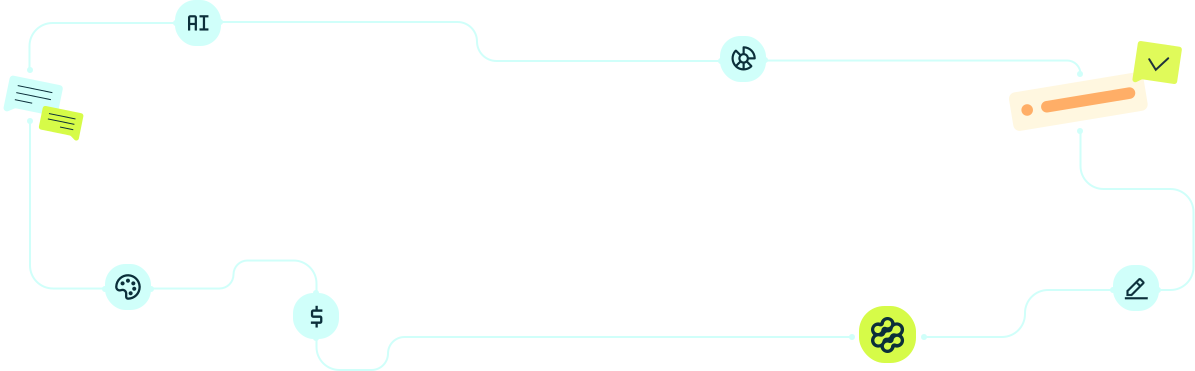


Plan your content, create copy and visuals, review your creatives, and schedule social media posts within a single workflow.
Creating engaging social media posts for a brand takes more than simply having a good idea. Before publishing, you need to think about strategy, choose the right topics, write the message, develop the visual, review the content, and find the right time to publish.
When these steps are spread across multiple tools, the process can take much more time than it should.
Intellux brings different stages of social media management into a single workflow. The platform uses artificial intelligence to support everything from content calendar planning to copywriting, image creation, creative evaluation, and post scheduling.
That means you do not have to start every new piece of content by staring at a blank screen.
Below, you will find a five-step process for creating social media posts for your brand with Intellux.
How to Create Social Media Posts With Intellux in 5 Steps
The process can be divided into planning, content creation, visual development, review, and publishing.
Each stage connects to the next, allowing an idea planned in your content calendar to move through the workflow until it becomes a complete social media post ready to publish.
Step 1: Create Your Brand’s Content Calendar
Before thinking about the design or caption, it is worth defining what your brand actually needs to communicate.
The Intellux content calendar helps with this stage by organizing the topics your brand will cover throughout the month and connecting the planning process to the information already provided about your business.
Within the platform, you can take two approaches: create your content calendar manually or use the automated AI-powered workflow.
Automated Content Calendar
The automated option can be especially useful when you want to speed up the planning process. In this workflow, artificial intelligence uses information about your brand, including communication characteristics and tone of voice, to help develop content pillars and topics for upcoming posts.
Instead of planning every post individually, you can start with a structured content plan that is ready to review and customize. This can be especially helpful when the main question is: What should my brand post over the next few weeks?
Manual Content Calendar
The manual content calendar gives you greater control over strategic decisions. You can define details such as social media platforms, posting frequency, goals, and content pillars before generating the plan.
AI can still support the process, but you determine the direction of the strategy more precisely. This option may work better for brands that already have established campaigns, product launches, promotions, or clearly defined editorial themes.
Use Your Content Calendar as a Guide, Not a Rule
A content calendar does not need to be set in stone. Think of it as a roadmap that organizes your social media strategy while still allowing room for changes whenever a relevant opportunity, trend, campaign, or new idea appears.
This makes it easier to stay consistent without losing the flexibility that social media often requires.
Step 2: Turn Each Idea Into Social Media Content
Once the topics have been defined, the next step is turning each idea into something that can actually be published. Intellux includes AI-powered features for copywriting and creative briefing, helping you develop the written side of your content without having to start from scratch.

At this stage, a single topic from your content calendar can be transformed into different elements, including:
- main headlines;
- social media captions;
- calls to action;
- carousel structures;
- creative briefs;
- sales messages;
- educational content;
- different approaches for different social media platforms.
Give AI Enough Context
Artificial intelligence usually performs better when it receives enough context about what it needs to create. A generic request such as “create a post about my product” provides far less direction than a prompt that explains the goal, audience, content format, and desired approach.
The clearer the intention behind the content, the easier it becomes to use AI to generate a first version that is closer to what your brand actually needs.
Use AI as a Starting Point, Not Autopilot
Creativity also depends on your brand’s personality. After generating content, take a moment to ask whether the message actually sounds like something your company would say. You can improve the content by adding:
- firsthand experiences;
- industry references;
- opinions;
- stories;
- real examples;
- product or service differentiators;
- characteristics that are unique to your brand.
AI can help speed up production. However, these unique elements are what make the content feel less generic and more recognizable to the people who already follow your brand.
Step 3: Create the Visual for Your Post
Once the message is defined, it is time to turn it into visual content. Intellux also includes AI image generation and image editing capabilities within its social media workflow. This allows copy and creative development to be handled in a more integrated way.
This stage can also be used to explore different visual directions for the same topic. For example, a post about a product launch could follow a style that is:
- minimalist;
- conceptual;
- playful;
- editorial;
- educational;
- directly sales-focused.
Instead of simply choosing an image that looks good, first think about the role the visual needs to play within the post.
What Should a Good Social Media Creative Communicate?
Before finalizing the image, ask:
- What information should attract attention first?
- Does the post look recognizable as part of my brand?
- Is there enough contrast between the text and background?
- Is the headline easy to read?
- Are too many elements competing for attention?
- Does the image support the message?
- Would the creative generate curiosity in a social media feed?
Creativity does not necessarily mean adding more information to the design.
In many cases, a simple visual idea that is strongly connected to the message can communicate more clearly and attract more attention.
Step 4: Review and Improve Your Creative Before Publishing
Creating the visual does not have to be the final step before publishing. Intellux also includes an image evaluator designed to provide recommendations about your creatives before they go live.
This adds an important review stage to the workflow. Instead of considering a design finished simply because it looks good, you can analyze potential improvements and then use the editing tools to make the necessary adjustments.
For example, you may need to improve headline readability, reorganize information, strengthen the visual hierarchy, or simplify certain elements.
Creativity Also Means Testing
The first version does not always need to be the final version. The same idea can be tested with different headlines, images, framing, and compositions.
Exploring these possibilities can help you find more interesting ways to present a topic, even when that subject has already been covered many times within your industry.
Use Previous Results to Improve Future Posts
Content creation can also improve based on the performance of previous posts. Pay attention to questions such as:
- Which topics generate more comments?
- Which formats receive more engagement?
- Which posts are shared more often?
- Which approaches generate the most interest?
- Which types of visuals perform best with your audience?
These insights can inform future content and help your content calendar become increasingly aligned with your audience’s behavior.
As a result, creativity becomes less dependent on inspiration alone and more connected to a continuous process of creation, analysis, and improvement.
Step 5: Schedule Your Social Media Posts
After planning, writing, designing, and reviewing the post, the final step is publishing it. Intellux includes social media scheduling within its social media management tools. This allows you to organize completed content in advance and reduce the need to publish posts manually every day.
Organize Your Content Before the Publishing Date
Scheduling closes the cycle that began with the content calendar. The workflow can follow this structure:
- plan what will be published;
- develop the content;
- create the visual;
- review the post;
- schedule the publishing date.
This can make it easier to maintain a consistent posting frequency, even during particularly busy weeks.
What Parts of Social Media Content Creation Can You Manage With Intellux?
Using artificial intelligence for social media does not need to mean simply asking a tool to “create a post.” AI becomes more useful when it supports multiple stages of the content creation process.
With Intellux, the workflow can begin with content calendar planning, continue through copywriting and image creation, move into creative evaluation and editing, and finish with social media scheduling. In summary, you can use the platform to:
- create your content calendar;
- turn topics into social media content;
- develop creative assets;
- review and improve your visuals;
- schedule your posts.
From Content Idea to Published Post in One Workflow
Centralizing these stages reduces the time spent switching between different tools and helps keep planning, production, and publishing connected. At the same time, technology does not need to replace the human side of the creative process.
Your knowledge of the audience, the company’s experience, product differentiators, and brand personality are still essential for creating content with a recognizable identity. Artificial intelligence can help accelerate the process. Creativity comes from combining technology, strategy, and the human touch of the people who know the brand best.