Marketing strategy


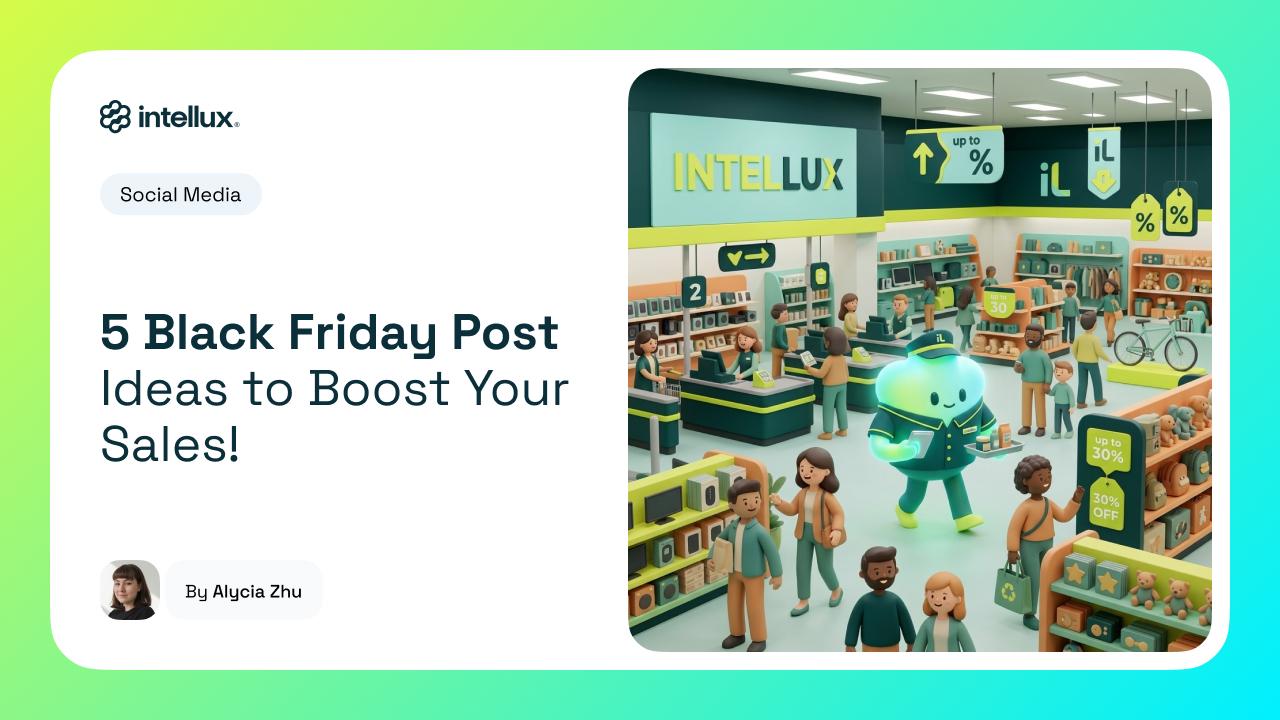
Black Friday represents an opportunity for businesses looking to increase sales, attract new customers, and introduce their products to a larger audience. However, during this period, consumers are exposed to countless advertisements, offers, and promotional messages, making competition for their attention even more intense. That's why creating effective Black Friday social media posts requires planning, creativity, and communication that goes beyond announcing discounts.
On social media, businesses can use different content formats to spark curiosity, demonstrate benefits, answer questions, and encourage purchasing decisions. Reels, carousels, Stories, and static posts serve different purposes and can work together to build a more comprehensive campaign.
In this article, we've gathered five Black Friday content ideas that businesses across different industries can adapt to their needs. We'll also explain how to distribute posts throughout your campaign and use Intellux's artificial intelligence tools to simplify content production.
Black Friday 2026 takes place on November 27, but communication strategies can begin weeks earlier. After all, many consumers research products, monitor prices, and compare alternatives before taking advantage of a promotion. Therefore, social media can help your business become part of their purchasing journey from the earliest stages.
However, publishing only images featuring discounted prices can limit your campaign's potential. Your audience also needs to understand your products' value, recognize their advantages, and trust your business before making a purchase. That's why combining promotional, educational, and relationship-building content helps create a more complete communication strategy.
In our article about how to use AI to manage social media and create content faster, we explain the importance of organizing posts according to objectives and content pillars. This approach also works for seasonal campaigns, allowing you to distribute different messages throughout the promotional period. As a result, your brand avoids repeating the same offer every day and can explore different selling points.
Teasers are posts that announce something new without immediately revealing all the details. During Black Friday, this format can provide hints about participating products, announce upcoming special offers, or encourage followers to stay tuned for future announcements. This allows businesses to generate anticipation before officially revealing their discounts.
For example, a cosmetics store could publish a video briefly showing selected products alongside the message: "Your favorites are about to get special offers." Meanwhile, a technology company could share partial images of its products and ask followers which items they'd like to see discounted. These approaches encourage audience participation without relying exclusively on price-related arguments.
Reels: Create short videos featuring product details, behind-the-scenes preparations, or visual elements related to your campaign. Start with an attention-grabbing opening and end by encouraging viewers to follow the official announcement.
Stories: Share polls, question stickers, and small reveals throughout the days leading up to Black Friday. For example, ask followers which product categories they'd most like to see on sale.
Static posts: Design an image featuring your campaign's visual identity, the Black Friday date, and a message that sparks curiosity. This content can also serve as the campaign's initial announcement.
The most important consideration is building expectations your business can actually meet. Avoid promising extraordinary discounts or benefits that haven't been confirmed, as doing so can damage consumer trust. Instead, use teasers to generate curiosity while maintaining transparent communication.
During Black Friday, many consumers already know which products they want but still need to decide where to purchase them. In this scenario, demonstration content helps showcase features, functionality, and benefits that may not be clear in a promotional image. Additionally, it allows businesses to present products in real-life situations.
For example, a home goods store could create a Reel demonstrating how a particular product makes an everyday task easier. Meanwhile, a clothing brand could showcase different outfits featuring items included in the promotion. This helps customers imagine how they might use the product before evaluating the discount.
Reels: Use videos showing products in action, close-up details, or before-and-after scenarios. Whenever possible, begin by presenting a customer need and then demonstrate how the product can address it.
Carousels: Organize images that explain different product features. The first slide can introduce the main benefit, while subsequent slides highlight details, usage examples, and additional information.
Stories: Share quick demonstrations, answer frequently asked questions, and highlight details that may not appear in your online store's product photography. This format also allows you to direct interested consumers to the purchase page.
Demonstrations are especially effective when they present concrete benefits instead of relying solely on generic quality claims. Additionally, original videos and photographs can help businesses showcase real product characteristics. Therefore, prioritize information that makes product evaluation easier and supports more confident purchasing decisions.
The cheapest product isn't always the best option for every consumer. In many cases, factors such as durability, functionality, warranty coverage, customer service, and ease of use influence purchasing decisions. That's why benefit comparisons are valuable Black Friday social media post ideas, especially when a business needs to demonstrate the value behind its offers.

An electronics store, for example, could compare two headphone models, highlighting differences in battery life, connectivity, and available features. Meanwhile, a service-based business could explain the features included in different promotional plans. This helps consumers identify which alternative best meets their needs.
Carousels: Use each slide to present a specific feature or benefit. For example, a comparison between two products could cover functionality, recommended uses, included accessories, and price differences.
Static posts: Create a comparison graphic summarizing the main differences between two products or plans. This format works best when the information can be understood quickly.
Reels: Present products side by side and demonstrate their main differences in practical situations. The video can end with a question encouraging followers to choose their favorite option.
However, comparisons should always rely on verifiable information and highlight genuine differences between alternatives. Avoid making misleading claims about competitors or inventing features that don't match product specifications. Additionally, when displaying promotional prices, clearly communicate applicable conditions and keep the information updated throughout the campaign.
Countdowns help communicate important dates and keep consumers informed about when a promotion begins or ends. During Black Friday, this type of content can appear in the days leading up to the event, when offers launch, and during the final hours of a campaign. This creates multiple opportunities to connect with followers.
For example, a brand could start with the message "7 Days Until Black Friday" and introduce participating product categories throughout the week. Once the promotion begins, the messaging can shift to "Our Black Friday Deals Are Live," accompanied by featured products and promotional conditions. This way, every post delivers useful information instead of simply repeating the number of days remaining.
Stories: Use Instagram's countdown sticker to highlight the beginning of your campaign or the end of a specific promotional offer. Combine it with links and information that make accessing your deals easier.
Static posts: Design graphics displaying important dates, such as the start of your promotions or the final day to take advantage of a specific offer. Maintain a consistent visual identity across materials.
Reels: Produce short videos showing campaign preparations or announcing that promotions are live. This format can combine product footage with clear messages about offer availability.
The most important consideration is using urgency responsibly. Messages such as "Only a Few Left" or "Offer Ends Today" should reflect actual campaign conditions rather than creating artificial scarcity to pressure consumers. Therefore, use countdowns to inform and encourage your audience while remaining transparent about deadlines and availability.
Social proof involves sharing other people's experiences, reviews, or recommendations to help consumers learn more about a business or product. During Black Friday, this content can be especially useful because shoppers frequently compare different stores before completing their purchases. Customer testimonials and demonstrations can complement the selling points used in promotional campaigns.
For example, a furniture store could share photos of rooms decorated with products purchased by its customers. Meanwhile, a software company could highlight user feedback about specific platform features. This allows brands to show how their products or services contribute to real customer experiences.
Carousels: Gather customer testimonials alongside images of the related products. Organize feedback according to the benefits or features customers mention.
Reels: Publish videos of customers using products or sharing their experiences, provided you've obtained permission to use the material. This type of content helps demonstrate real applications and different perspectives.
Stories: Share reviews, customer messages, and relevant comments while respecting consumer privacy. You can also use this content to answer frequently asked questions about products included in your promotions.
Authenticity is essential for this type of publication. Avoid creating fictional testimonials, editing reviews in ways that change their meaning, or presenting feedback that could mislead consumers. Whenever you use customer images or messages, obtain the necessary permissions and protect any personal information involved.
After exploring these five ideas, the next step is organizing their distribution. After all, each format offers different opportunities for presentation, interaction, and detailed explanations. Therefore, your choice should consider both the post's objective and your audience's behavior on each social media platform.
In general, Reels work well for demonstrations, short videos, and content that communicates ideas visually. Carousels allow businesses to explain comparisons, benefits, and more detailed information, while Stories encourage quick interactions and frequent updates. Static posts, meanwhile, help communicate offers, dates, and messages that audiences can understand immediately.
Here's one way to organize your content:
| Format | Content Ideas | Primary Objective |
|---|---|---|
| Reels | Teasers and demonstrations | Generate interest and showcase products |
| Carousels | Comparisons and testimonials | Explain benefits and build trust |
| Stories | Countdowns, polls, and reviews | Encourage interaction and share updates |
| Static posts | Offers, dates, and announcements | Communicate information clearly |
This distribution isn't a strict rule because the same idea can work across different formats. However, adapting content to each channel helps prevent repetitive posts and creates a more engaging experience for followers. Additionally, businesses can repurpose materials from a single production, developing different approaches without creating every post from scratch.
To turn these ideas into a practical campaign, we recommend organizing content into three stages: preparation, launch, and closing. This structure helps introduce products, build trust, and communicate offers as Black Friday approaches. It also makes team planning and content production easier.
Here's an example calendar for a small business promoting its Black Friday offers on social media:
| Date | Format | Content |
|---|---|---|
| Nov. 16 | Reel | Teaser announcing upcoming Black Friday deals |
| Nov. 18 | Carousel | Comparison of products included in the campaign |
| Nov. 20 | Reel | Demonstration of a featured product |
| Nov. 23 | Stories | Countdown and poll about desired products |
| Nov. 25 | Carousel | Customer reviews and experiences |
| Nov. 26 | Stories | Reminder about the start of promotions |
| Nov. 27 | Static post | Official Black Friday offers announcement |
| Nov. 28 | Reel | Demonstration of products currently on sale |
| Nov. 30 | Stories | Cyber Monday offers, if available |
The calendar follows Black Friday on November 27 and Cyber Monday on November 30, 2026. However, businesses planning promotions throughout the entire month can start publishing earlier and increase their posting frequency. The important thing is to adjust content volume according to production capacity and the promotional conditions actually available.
We also recommend leaving room for unplanned posts, especially when frequently asked questions, inventory changes, or new communication opportunities arise. This allows your campaign to maintain an organized structure while remaining responsive to audience behavior. Additionally, performance monitoring can help identify which formats deserve more attention in the following days.
Producing different types of content during Black Friday requires planning, copywriting, visual creation, and publication scheduling. For small businesses and marketing teams, these activities can consume a significant portion of their daily operations, especially when campaigns involve multiple social media platforms. That's why Intellux brings together artificial intelligence tools designed to simplify different stages of the content creation process.
With our AI Copy Generator, you can develop ad copy, captions, promotional headlines, Reel scripts, and carousel structures. This allows you to approach the same offer from different angles, considering the selected format and the campaign stage. Additionally, the tool makes it easier to create message variations for different audiences and commercial objectives.
Our AI Image Generator allows you to create visual assets from text descriptions, while the Image Editor provides tools for adjusting your creative materials. These features can help your business develop graphics for teasers, advertisements, and seasonal posts. However, when content features an actual product, it's important to use visuals that accurately represent its characteristics to avoid creating misleading expectations.
Another valuable feature is the Brand Manual, which brings together visual references and communication guidelines to maintain consistency across different content pieces. After all, even during promotional campaigns, your business needs to preserve the elements that make it recognizable. We explain this process in our article about how to create a consistent brand identity on social media.
Once you've created your content, you can use Intellux's scheduling feature to organize posts for Instagram, Facebook, and LinkedIn. The tool allows you to schedule publications in advance, helping distribute messages throughout the campaign. This gives your team more time to focus on customer service, performance monitoring, and commercial adjustments during peak shopping days.
For example, you can prepare teasers for the first week, demonstration carousels for the second, and promotional announcements for Black Friday itself. With content organized ahead of time, your campaign no longer depends exclusively on manual publishing during busy daily operations. Additionally, it becomes easier to review materials and verify that messages align with available offers.
In our article about how to create engaging social media posts with Intellux, we explain how to organize planning, produce copy and images, and prepare content for publication. This workflow can also support Black Friday campaigns by connecting different production stages within a more structured environment.
Publishing large amounts of content doesn't necessarily generate more sales. That's why your business needs to monitor indicators that reveal how consumers interact with posts and which formats contribute to commercial objectives. This allows performance data to guide adjustments during the promotional period and improve future campaign planning.
Relevant metrics include post reach, Reel views, engagement, link clicks, and conversions. However, the importance of each indicator depends on the post's purpose. A teaser, for example, may prioritize reach and interactions, while a promotional announcement should also be evaluated based on website visits and sales.
Additionally, we recommend using links with tracking parameters to distinguish traffic generated by each campaign. This helps your business identify which posts directed visitors to your website and which contributed to commercial outcomes. With this information, it becomes easier to determine which formats, messages, and products deserve greater investment.
Creating effective Black Friday social media posts involves more than promoting discounted prices. Teasers, product demonstrations, benefit comparisons, countdowns, and social proof content help build a campaign that supports different stages of the purchasing decision. Additionally, distributing these ideas across Reels, carousels, Stories, and static posts allows businesses to explore different communication approaches.
With proper planning and the right tools, small businesses can produce varied content without turning their campaigns into disorganized daily operations. Discover Intellux and learn how to use artificial intelligence to create copy, develop images, and schedule social media posts for Black Friday 2026.
Continue exploring related content that might interest you